Invoicing and e-invoicing
The invoice goes out by itself.Straight to e-invoicing.
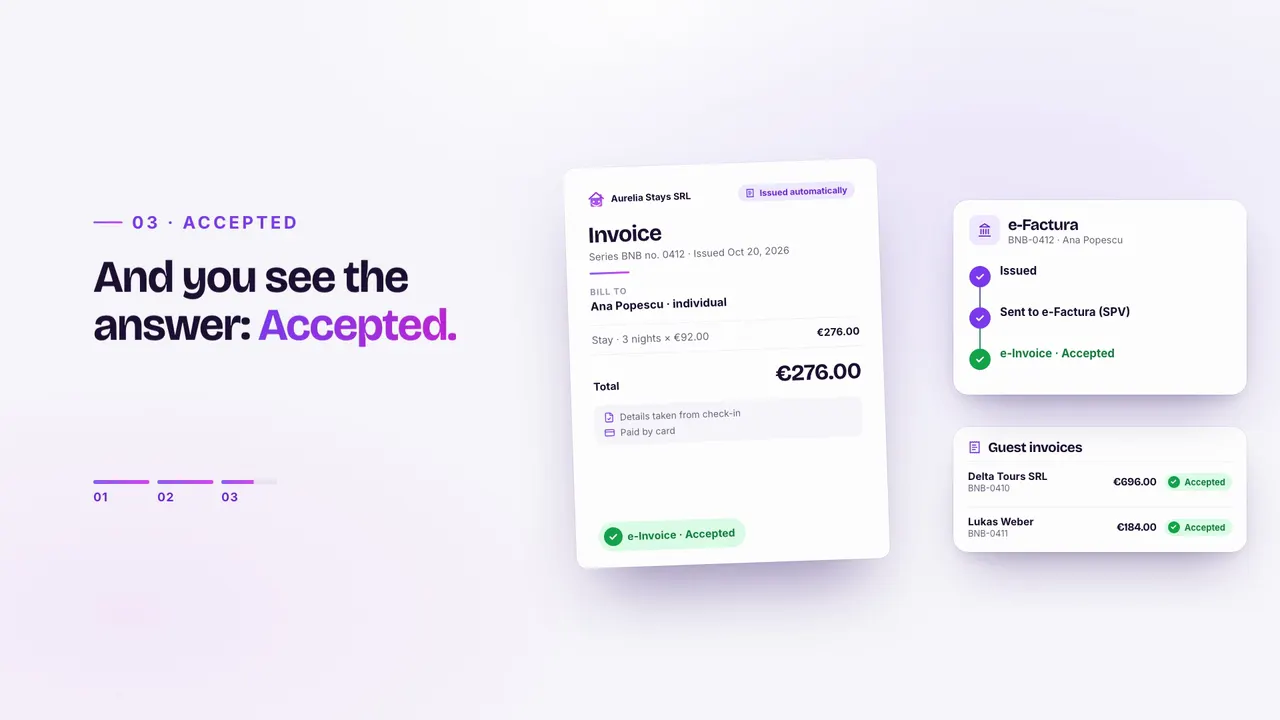
BnBFlow issues the guest invoice from the details the guest enters at check-in, to an individual or a company, and in Romania sends it to e-Factura (SPV) automatically. You see the status of every invoice, for each of your companies, without copying data by hand.
Message us on WhatsApp- Data comes from check-in
- Individual or company
- Sent to SPV automatically
- Ana PopescuBNB-0412 · individual€276.00Issued and sent
- Delta Tours SRLBNB-0413 · company · VAT ID€696.00e-Invoice · Accepted
- Lukas WeberBNB-0414 · individual · DE€184.00Issued and sent
- Sophie MartinBNB-0415 · individual · FR€230.00Issued at check-in
In 18 seconds
01How it works
From check-in to an accepted invoice.
You set up your company, series and rules once. For every stay, the invoice is built from the details the guest already gave.
- 01
The guest fills in
At check-in they choose individual or company and give billing details.
- 02
The invoice is issued
On your company and series, for the amount collected for the stay.
- 03
It goes to e-Factura
Sent to SPV automatically, with no export and no manual upload.
- 04
You see the status
Issued, sent, accepted: on every invoice, in the app.
02Company guests
A company invoice? Ready before check-out.
When a guest needs the invoice on a company, they enter the VAT ID and company details at check-in. The invoice is issued to the company and sent to e-Factura, for multi-room groups too.
- Several companiesEach property or service can invoice from the right company, with its own series.
- Tourist tax, separatelyCalculated per guest and kept up to date for reporting.
- Owners tooAgencies also invoice owners, per booking, from the same place.
- 101Standard Double
- 102Standard Double
- 103Twin
- 104Twin
- 105Superior Double
- Issued
- Sent
- e-Factura · Accepted
03ANAF authorization / e-Factura
The stay ends. The invoice goes to SPV.
You authorize your company with ANAF once, and guest invoices then go to Romania’s e-Factura (SPV) automatically. Each invoice shows its status: scheduled, processing at ANAF, validated or rejected, without logging into SPV.
- Automatic invoicing per channel: Airbnb, Booking.com, direct
- At check-out or a few days after, as a draft to approve or issued directly
- Email the authorization link to your accountant
- See in advance when the ANAF authorization needs renewing
- ANAF e-Factura
- Authorized
- Automatic invoicing
- At check-out
- BNB-0413 · Delta Tours SRL
- Validated by ANAF
- BNB-0415 · Sophie Martin
- Processing at ANAF
04How to connect
One authorization, per company.
- 01
Fill in your tax details
Enter your tax ID, and the company details are filled in from ANAF.
- 02
Activate invoicing
The company’s invoice series is created when you activate it.
- 03
Authorize ANAF
With the digital certificate registered in SPV, or send the link to your accountant.
- 04
Turn on automatic invoicing
At check-out or a few days after, as a draft to approve or issued directly.
Owner invoices go out the same way, with the owner management module.
05FAQ
About invoicing and e-invoicing.
For the tax obligations of your situation, always check with your accountant. For everything else, message us.
Message us on WhatsAppHow do I issue e-invoices for stays automatically?
In BnBFlow you connect your company to SPV once. Then, for every stay, the invoice is issued from the check-in data and sent to e-Factura automatically; its status shows in the app.
What issues the invoices?
Invoices are issued through UpBill, our invoicing partner, and reach e-Factura (SPV): on your company, with your series, and you see the status of each in BnBFlow.
Do I need a digital certificate?
Yes, to authorize ANAF you need the digital certificate registered in SPV. If your accountant has it, email them the authorization link.
What happens if ANAF rejects an invoice?
The invoice shows as rejected by ANAF, in the same list as the others, so you can correct it.
How do I invoice a guest’s company?
The guest picks “company” at check-in and enters the VAT ID and company details. BnBFlow issues the invoice to the company and sends it to e-Factura, with nothing retyped.
Can I invoice from several companies?
Yes. Each property or service can have its own company and series, and invoices are issued from the right one.
Which plan includes guest invoicing?
Professional includes it. On Standard and Essential you add it as an optional module, at €4.99 per unit per month.
Compliant invoicing
Your invoices, without the paperwork.
Tell us how many companies and properties you have. We show you invoicing on your case and agree together on how you start.