Online check-in
Online check-in,done before arrival.
With BnBFlow, guest registration happens online: the day before arrival, the guest gets a link, fills in their details, photographs their ID and signs on their phone, in their own language. You get the form as a PDF, archived with the booking, while the guest register and tourist tax update by themselves.
Message us on WhatsApp- No app, no account
- In 6 languages
- PDF form, archived
- Guests from more than 75 countries have checked in online with BnBFlow.

Check-in, step by step
In 18 seconds
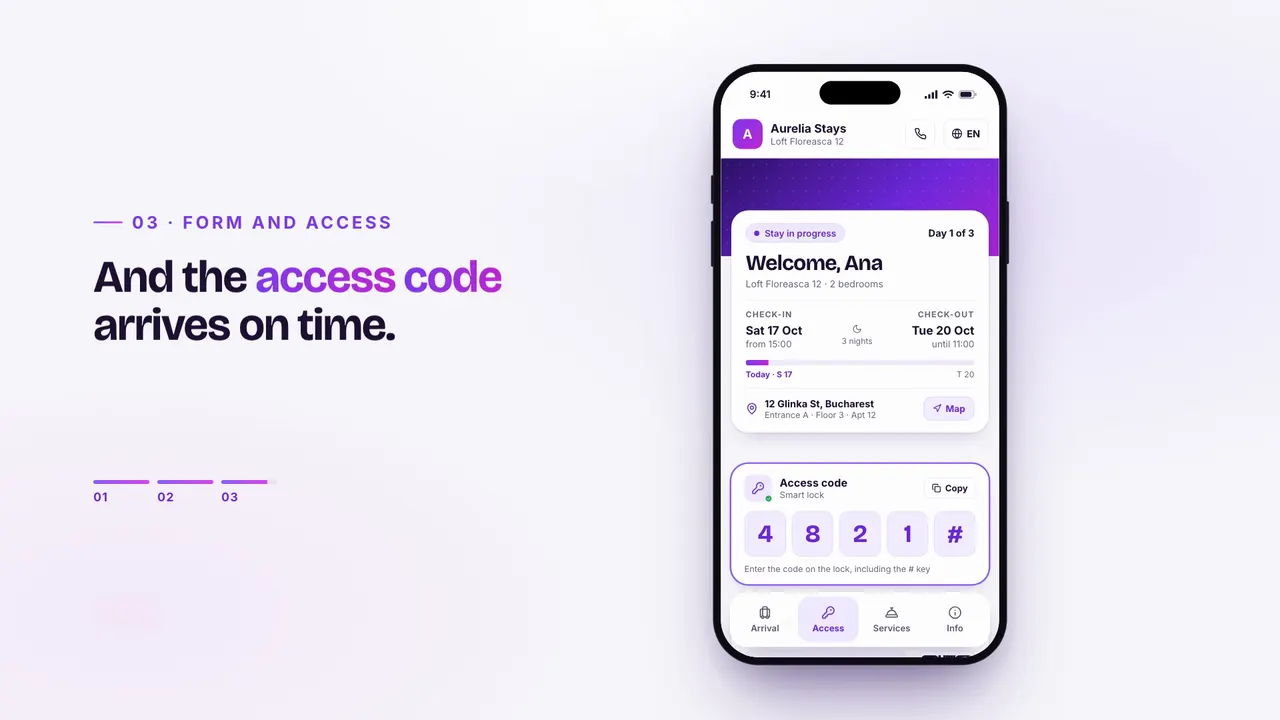
01How it works
Five steps. None of them done by you.
You set the rules once. Each step triggers the next, for every booking, from any channel.
- On booking
The booking comes in
From Airbnb, Booking.com, your website or added by hand.
- The day before
The link goes out
On the connected channels: WhatsApp, the booking platform’s messages or email, with a reminder if the guest doesn’t complete it.
- In 2 minutes
The guest completes it
Details, a photo of the ID and a signature, on the phone.
- Instantly
The form is ready
Signed PDF archived with the booking; register and tax up to date.
- On arrival day
Access goes out
The code and stay page; optionally, only after the form is complete.
02What the guest sees
The form, on the guest’s phone. Four screens, two minutes.
This is online check-in from the guest’s side: open the link, fill it in step by step and send the form. No app, no account, in their own language.
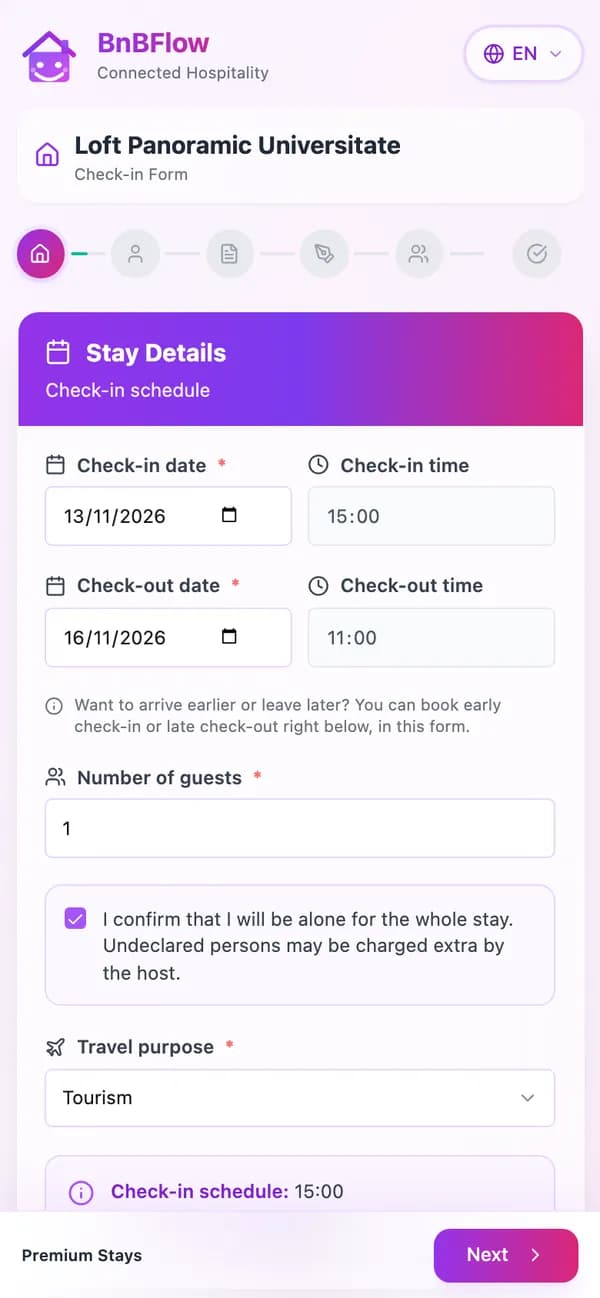
Stay detailsArrival, departure and number of guests. Check-in and check-out times are the ones you set. 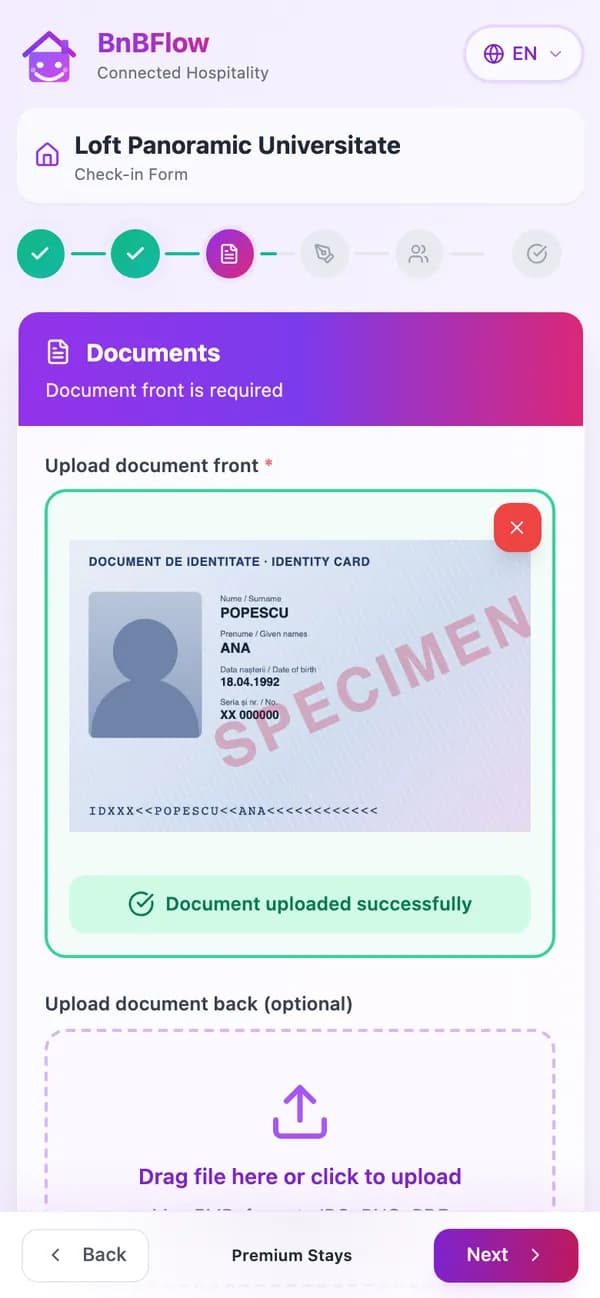
ID documentPhotographed with the phone: the front, and the back only when needed. 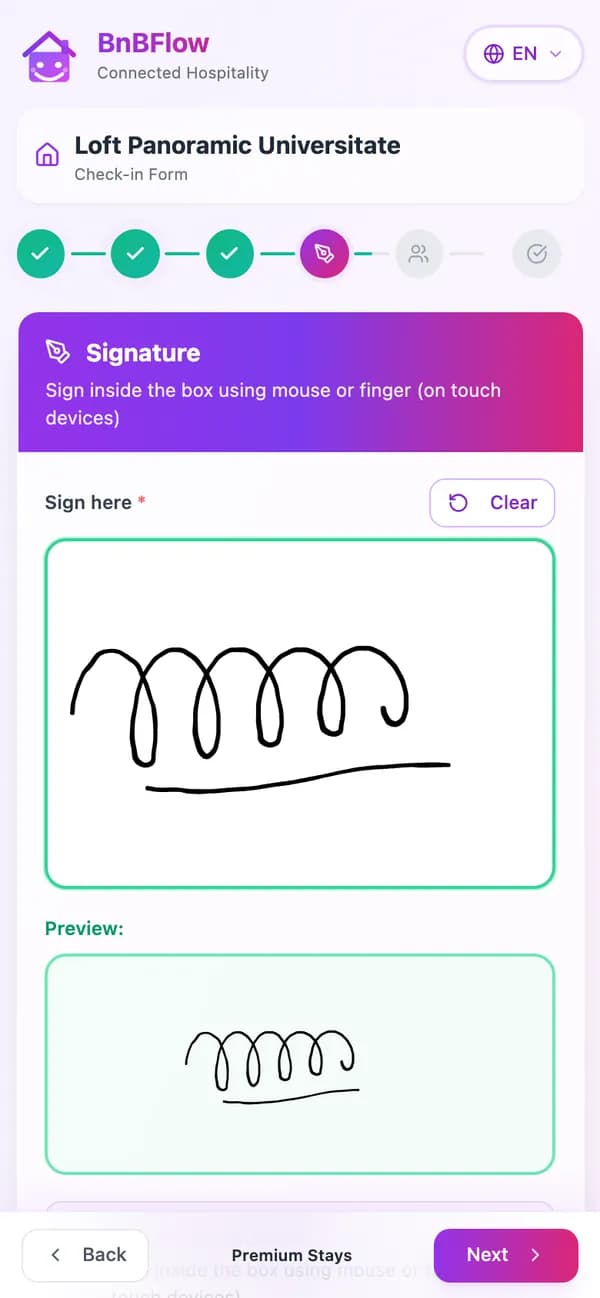
SignatureWith a finger, right on the screen, with a preview before sending. 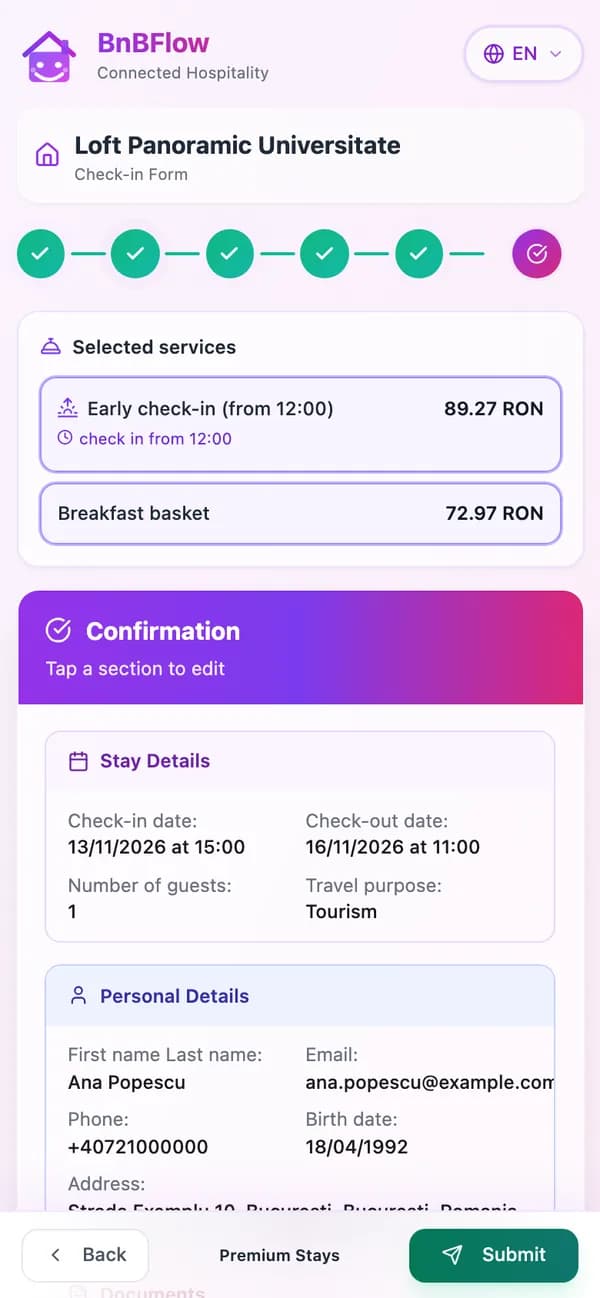
ConfirmationThe guest reviews the details, can fix them with one tap and sends the form.
03Compliance
Form, register, tax. Up to date, no paper.
The data the law requires is collected once, from the guest, and goes where it needs to by itself. That’s how we work in every country: compliance-ready.
Registration form
Signed by the guest, as a PDF, archived with the booking.
- Ana PopescuRO17–20 Oct
- Sophie MartinFR17–19 Oct
- Lukas WeberDE18–22 Oct
- Radu PopRO17–18 Oct
- Marco RossiIT18–21 Oct
- Kadri TammEE19–23 Oct
Guest register
Every guest, taken from check-in, ready to report.
Tourist report module
- Ana Popescu3 nightsRON 20.70
- Mihai Popescu3 nightsRON 20.70
Tourist tax
Calculated per guest, following local rules.
Compliance-ready in
- RO · Romania
- GR · Greece
- AE · United Arab Emirates
- EE · Estonia
- IT · Italy
In Romania, guest invoices go to e-Factura automatically.
Invoicing and e-invoicing04Access and messaging
The form is done. The code goes out by itself.
After check-in, the guest gets the access code, Wi-Fi and instructions on the connected channels (WhatsApp, the booking platform’s messages, email) and on the stay page: a guest app in a link, nothing to download. The code is unique to the stay and stops at check-out.
- WhatsApp BusinessThe check-in link, the code and stay messages, on the channel guests actually read.
- In the guest’s languageRomanian, English, Greek, Italian, Spanish and Estonian.
- TTLock
- Nuki
- Tuya
- + other models, on request
05FAQ
About online check-in.
Didn’t find your answer? Message us — we reply the same business day, the next one at the latest.
Message us on WhatsAppHow do I do guest registration online?
With BnBFlow, the guest automatically receives a check-in link, fills in the details required for the registration form, photographs their ID and signs on their phone. The form is generated as a PDF and archived with the booking, with the ID and signature attached.
Does the guest need to install an app?
No. Check-in opens from the link, in the phone’s browser, with no app and no account, and takes about two minutes. Then the guest has the stay page, also in a link, with the code, Wi-Fi and extras.
Does it work for Airbnb and Booking.com bookings too?
Yes. The link goes out for every booking, wherever it comes from: Airbnb, Booking.com, Vrbo, Expedia and many others, your direct booking website or bookings added by hand.
What if the guest doesn’t complete it?
They get an automatic reminder. You see the status of every check-in and can resend the link in one click. You can also release access only once the form is complete.
Which plan includes online check-in?
All of them: Professional, Standard and Essential. Smart locks, WhatsApp and the guest register are optional modules you add only if you need them.
Everything starts with a check-in
Your guests, registered before they arrive.
Tell us what you manage. You can start on your own or with our team’s help; we agree together on how onboarding works, depending on your plan and number of properties.