Owner portal
Every owner,with their own portal.
With BnBFlow, every owner you manage for signs in to their own portal and sees their properties, reservations from every channel, occupancy and monthly revenue, always up to date. You stop sending reports by hand: you invite them, and BnBFlow prepares their invoice from the bookings of the period, with e-invoicing (e-Factura in Romania).
Message us on WhatsApp- Reservations from every channel
- Occupancy and revenue, by month
- On a computer or a phone
01What the owner sees
Their own portal, up to date, no phone calls.
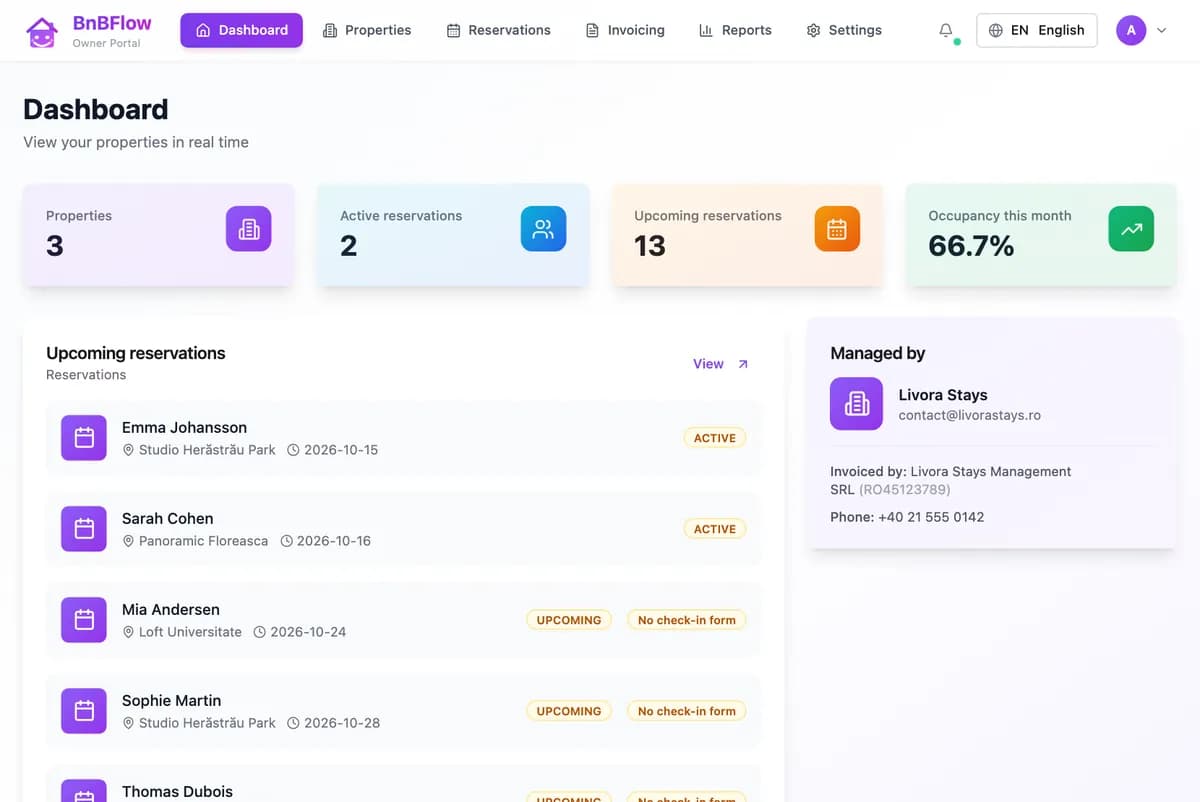
This is the portal from the owner’s side: the dashboard with properties and stays in progress, all of their reservations and the monthly reports. They only see their own properties, on a computer or a phone.
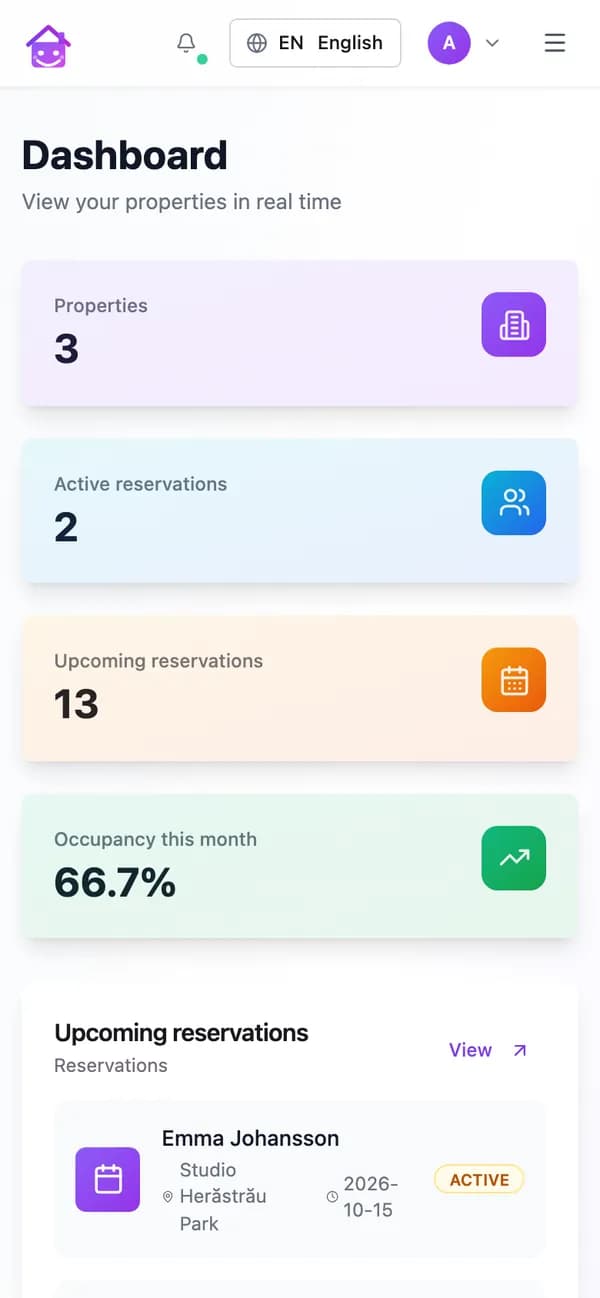
DashboardProperties, stays in progress and upcoming ones, occupancy and the agency that manages the properties. 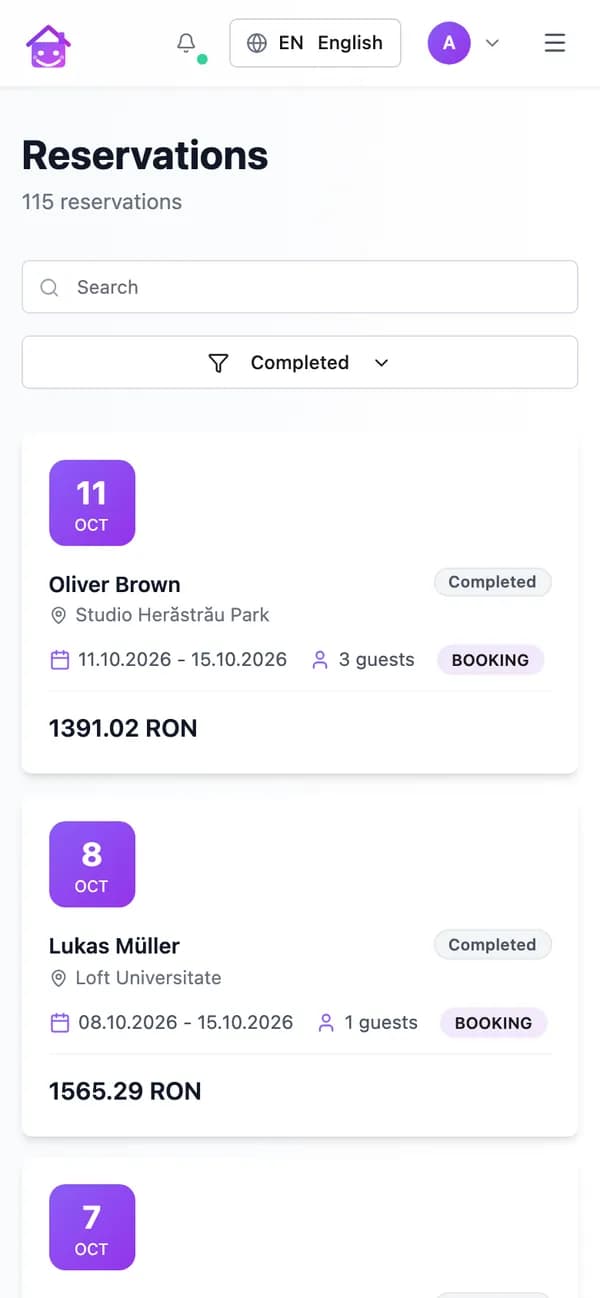
ReservationsFrom Airbnb, Booking.com and direct, with the guest, dates and amount, including those without a check-in form. 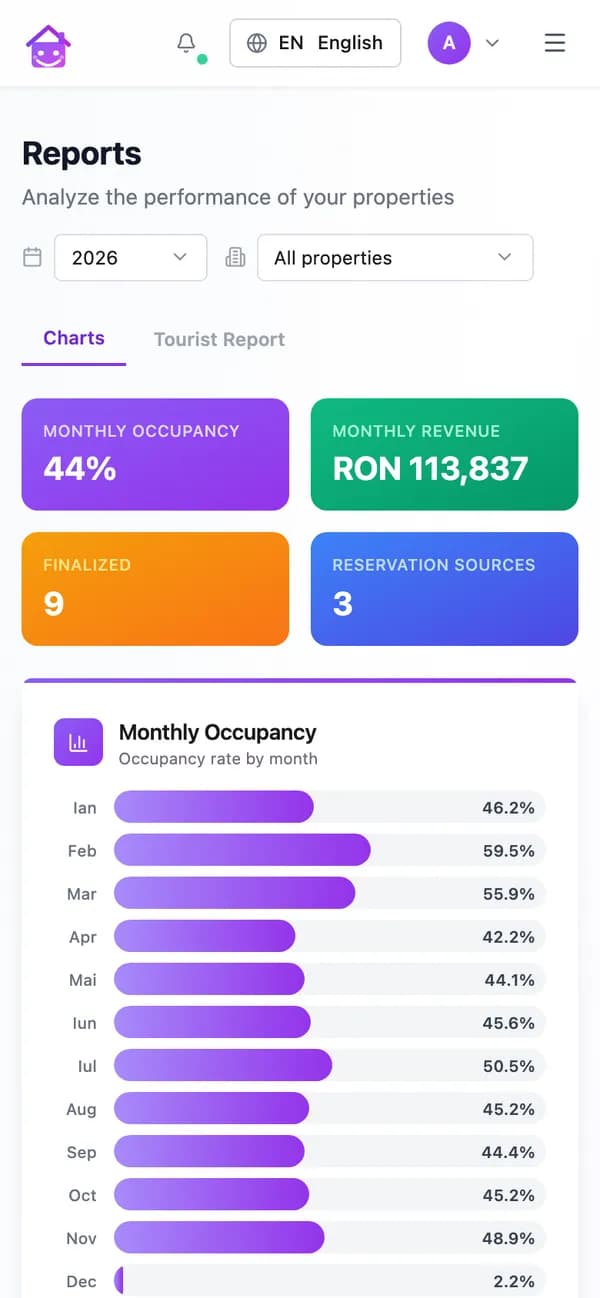
ReportsOccupancy and revenue by month, booking channels and issued invoices, by year and by property.
02Guest invoices
Owner invoices the stay? They do it in the portal.
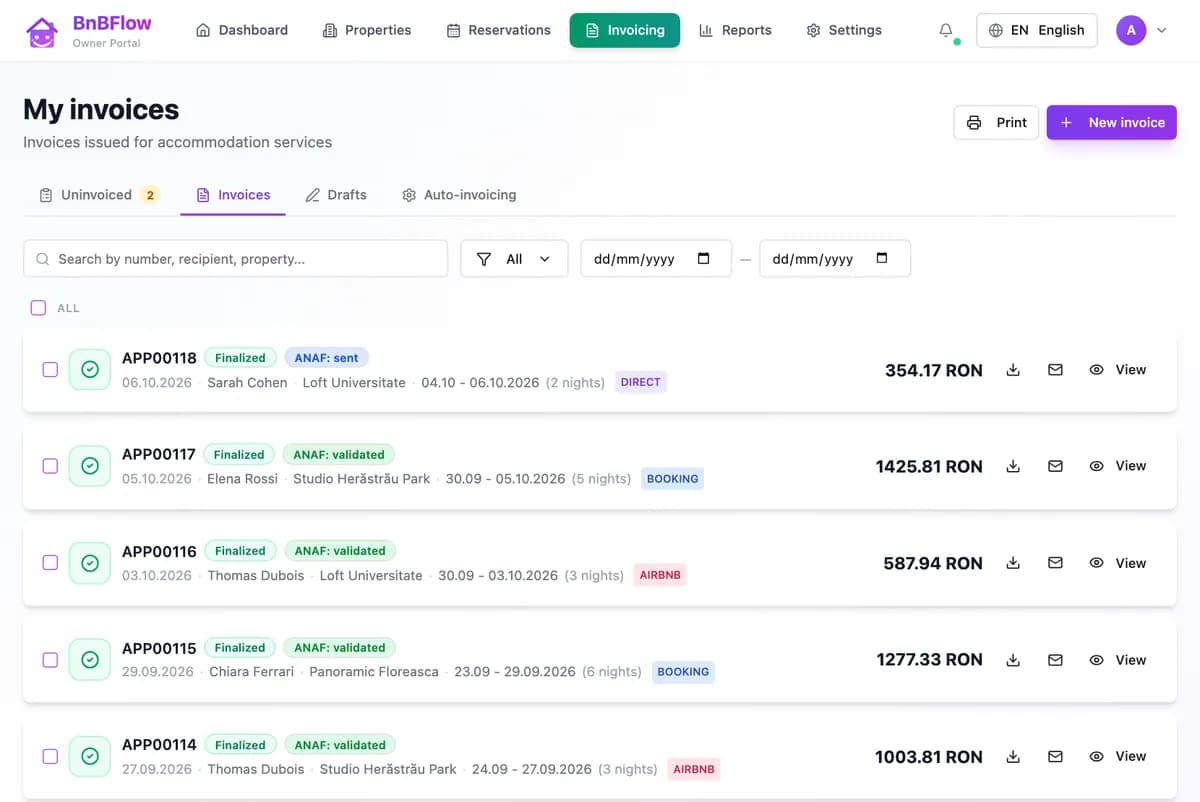
Some owners issue the guest invoices themselves, from their own company. For them, the portal has invoicing: they see the stays without an invoice yet, issue one in a click or let invoices go out automatically after the guest checks out. Every invoice goes to e-invoicing.
- From the owner’s company, with their own e-invoicing
- The e-invoicing status on every invoice
- The invoice as a PDF or emailed to the guest
- You choose, per property, who invoices the guests
03What you do
Three things. They see the rest.
The agency side stays short: you invite them once, set what is theirs and issue their invoice at the end of the period.
- Once
You invite them
They get an email link, valid for 7 days, choose a password and sign in to the portal.
- Once
You choose what they see
They only see the properties you assign to them. For each one you choose who invoices the guests: you or them.
- End of the period
You invoice them
BnBFlow gathers their bookings from every channel, including those without a check-in form. You review the draft and issue it from the right company, with e-invoicing.
04FAQ
About the owner portal.
Didn’t find your answer? Message us — we reply the same business day, the next one at the latest.
Message us on WhatsAppHow do I send reports and invoices to property owners?
You stop sending reports: owners see them in their own portal, updated with the bookings. BnBFlow prepares the owner invoice from the bookings of the period; you review it, issue it from your company and it goes to e-invoicing.
What does an owner see in the portal?
Only their own properties: the dashboard with stays in progress and upcoming ones, all reservations (from every channel and direct, with the guest, dates and amount), occupancy and revenue by month, booking channels and issued invoices.
Can owners change anything in the app?
They update their own billing details, and you get a notification. Reservations, prices, channels and the team stay managed by you.
Can owners invoice their guests themselves?
Yes, on the properties where you leave guest invoicing to them. They connect their company and e-invoicing, then issue invoices from the portal, one by one or automatically after check-out.
Can I invoice owners from several companies?
Yes. Each owner is invoiced from the company that fits them, and the invoices go to e-invoicing. The period is counted by arrival or departure date, as agreed with the owner; cancelled bookings stay off the invoice.
Which plan includes the owner portal?
Owner management (CRM, portal, owner invoicing) is an optional module you add to your plan. For portfolios over 20 units we prepare an offer.
Owner portal
Owners check for themselves. You stop sending reports.
Tell us how many owners you manage for. We show you the portal on a case like yours and agree together on how you start.